
Guest CRM
A profile for every guest who books, with their visits and your notes, and one for every loyalty member, with their loyalty visits and their rewards.
- Profiles created with nothing to type
- Your regulars and your lapsed guests, sorted into segments
- Two lists of your own, exportable to a spreadsheet
POS connected through HubRise, payments by Stripe


The guest file, screen by screen
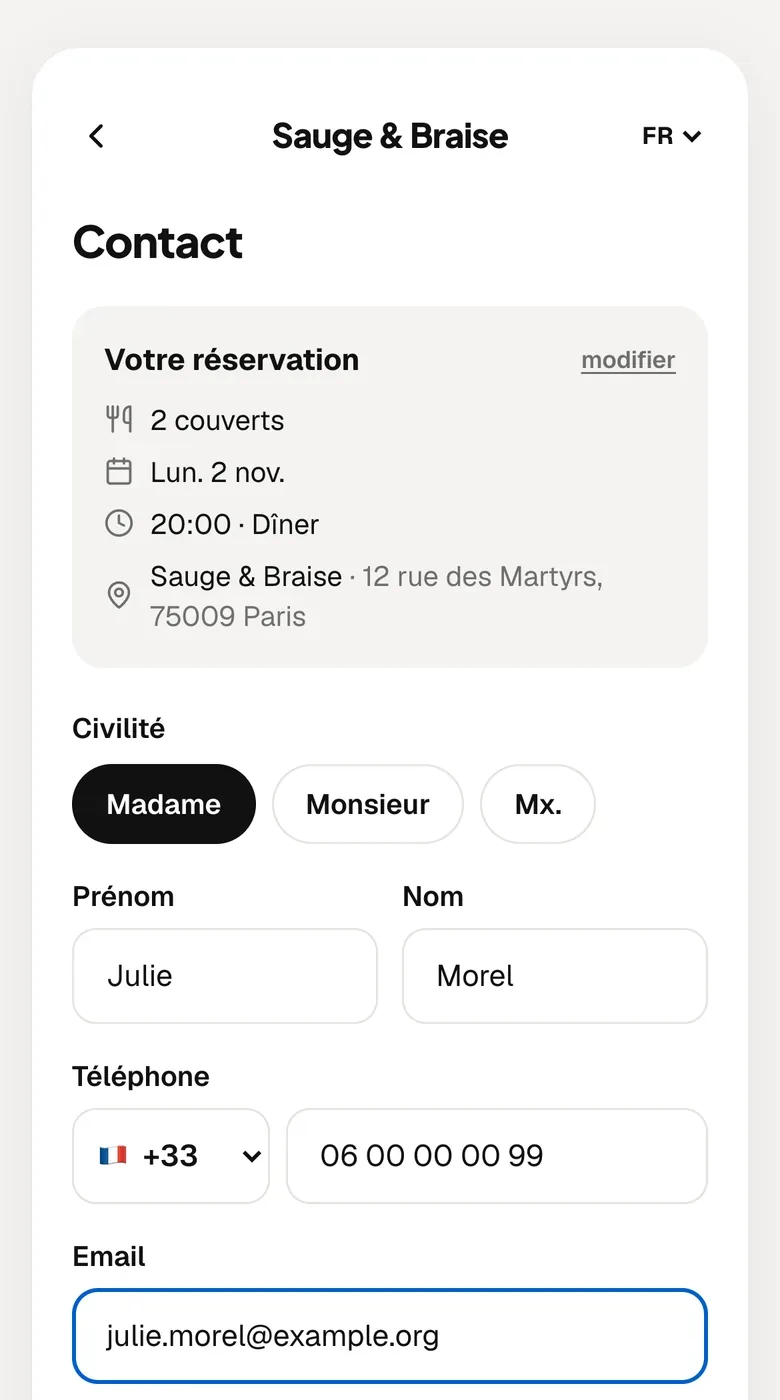
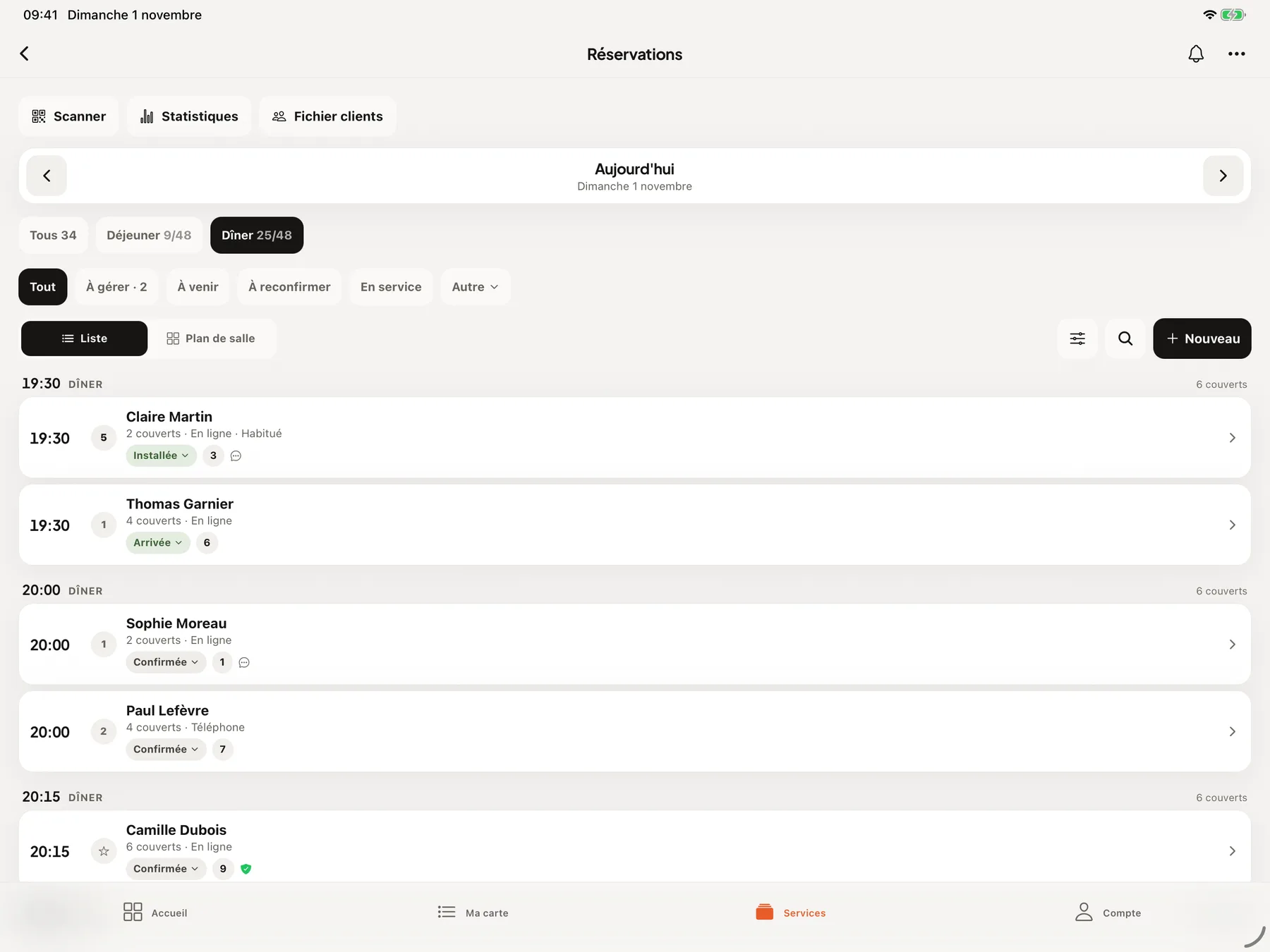
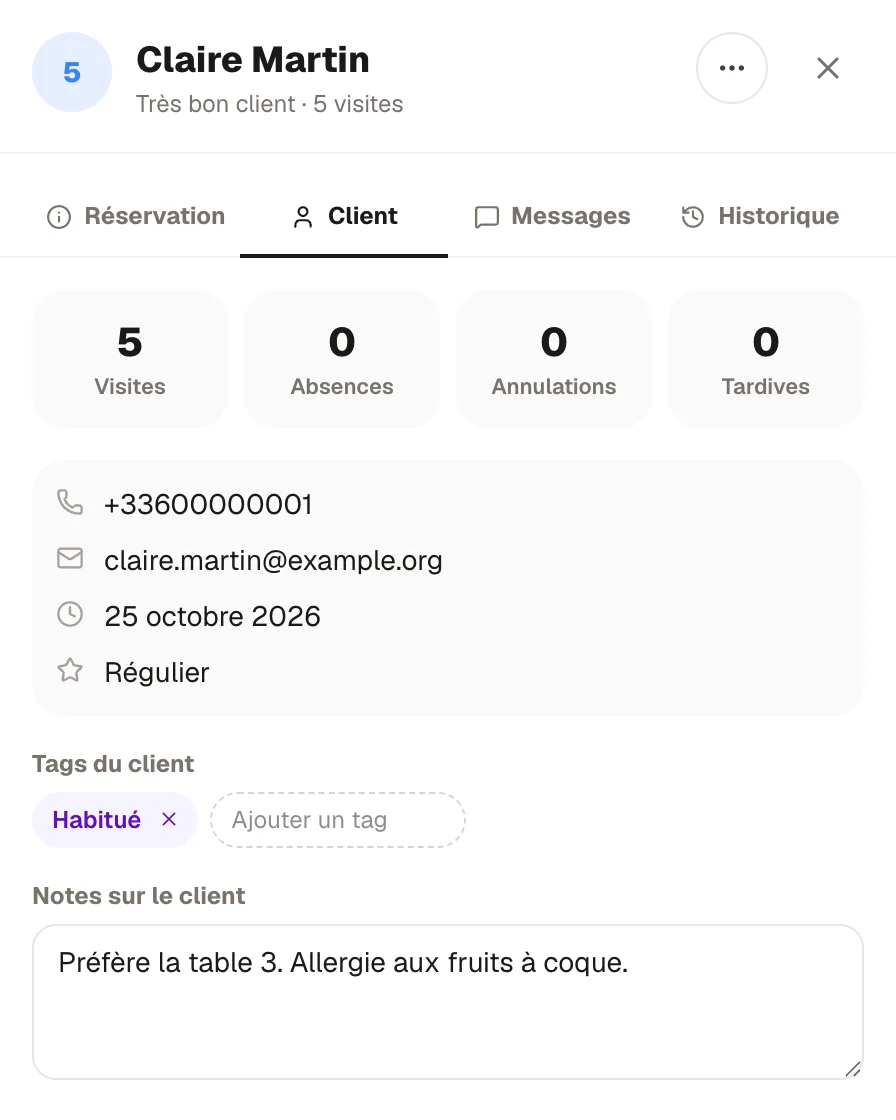
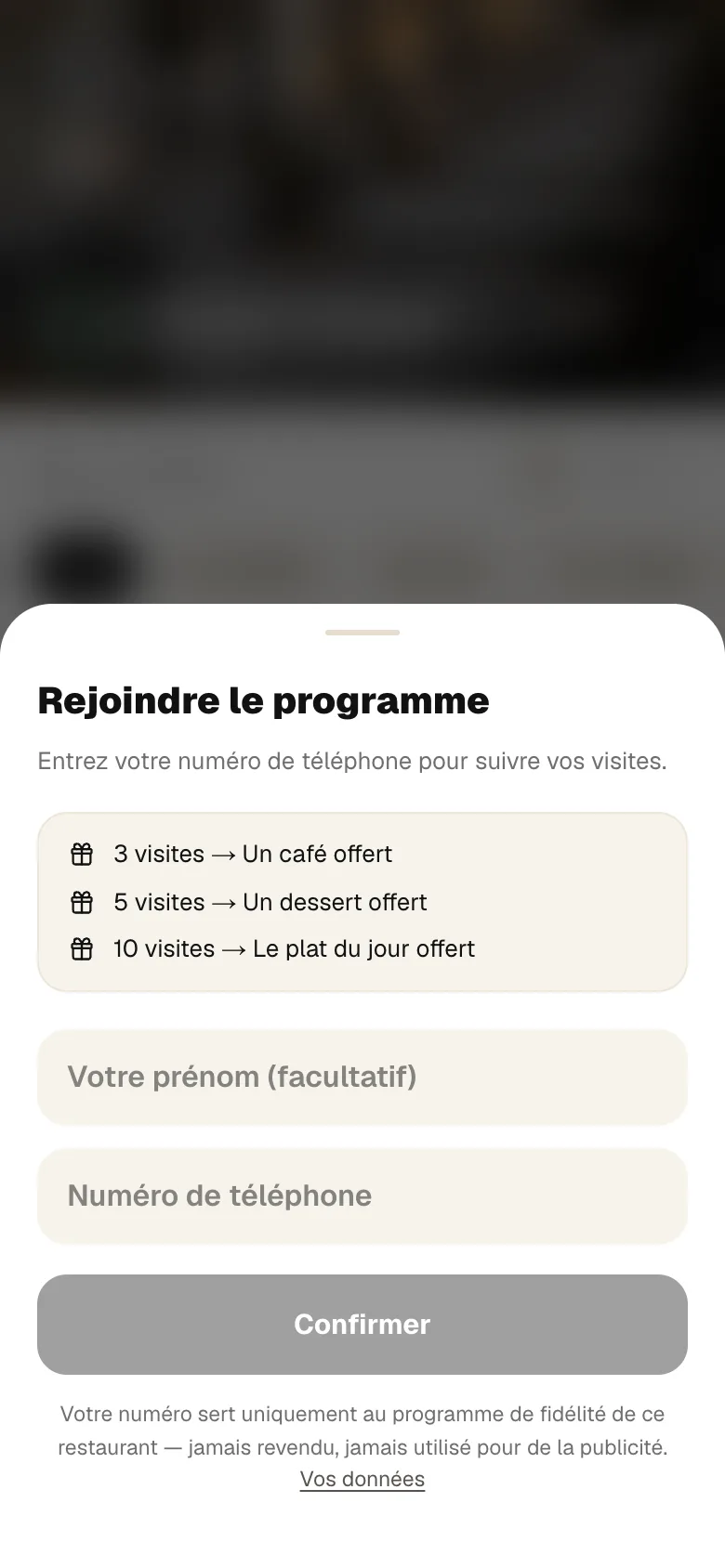
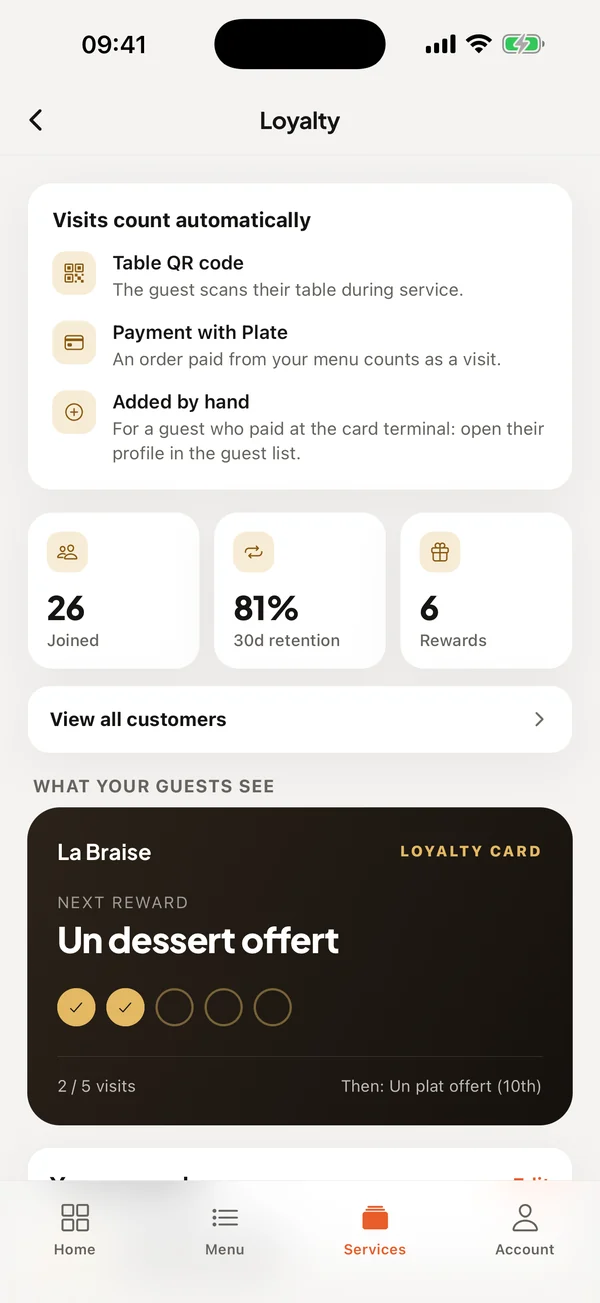
To book from your link, the guest leaves their first name, last name, phone number and email.
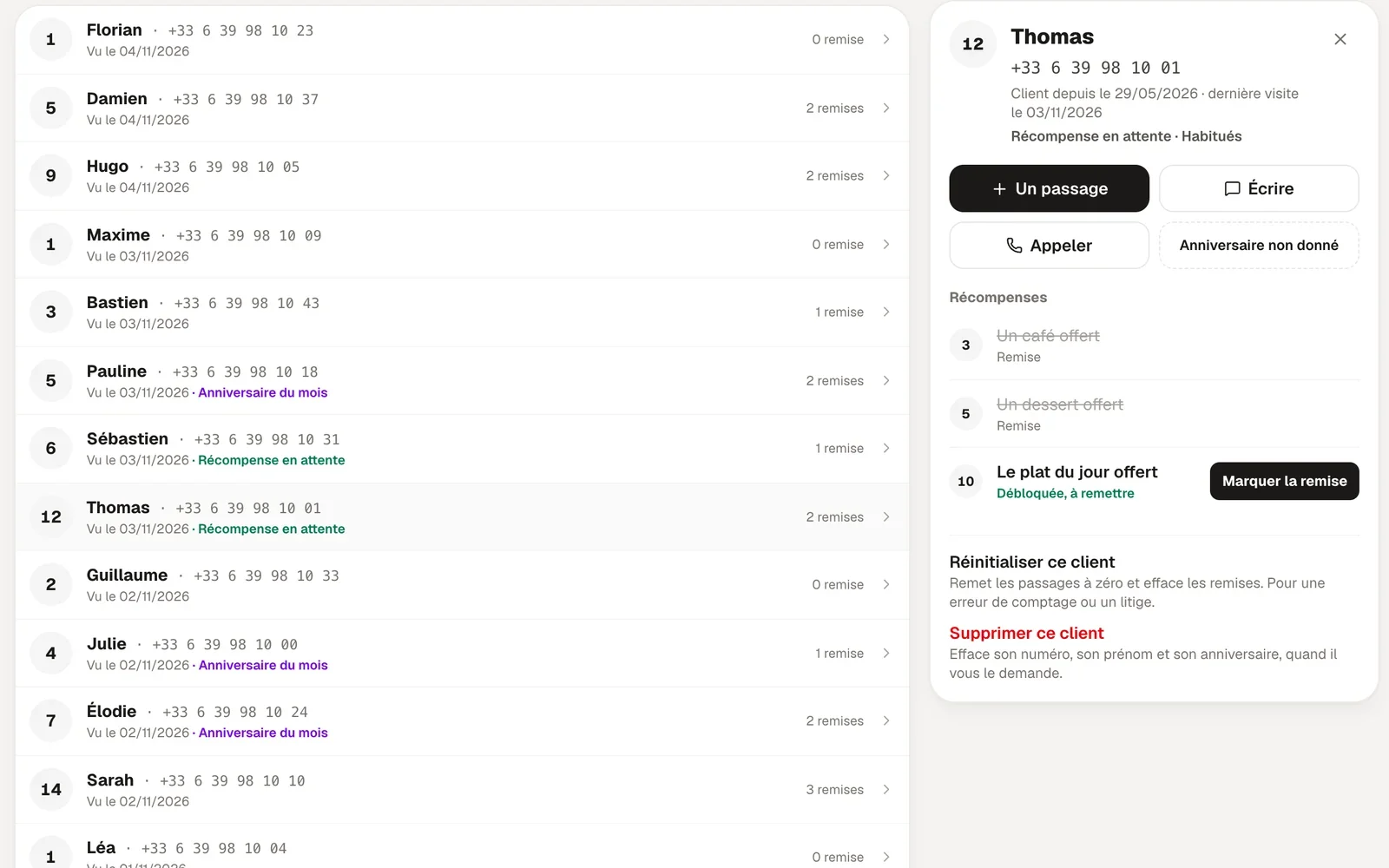
Screens of the booking page, the menu, the RestoAll app and the dashboard. Apart from the iPhone screen, they come from the French version of RestoAll, on a sample restaurant with fictional data.
Guest file features
Everyone who books with an email or a phone number has a profile, without you typing anything. In it you read their visits, their no-shows, their cancellations, their contact details and their booking history.
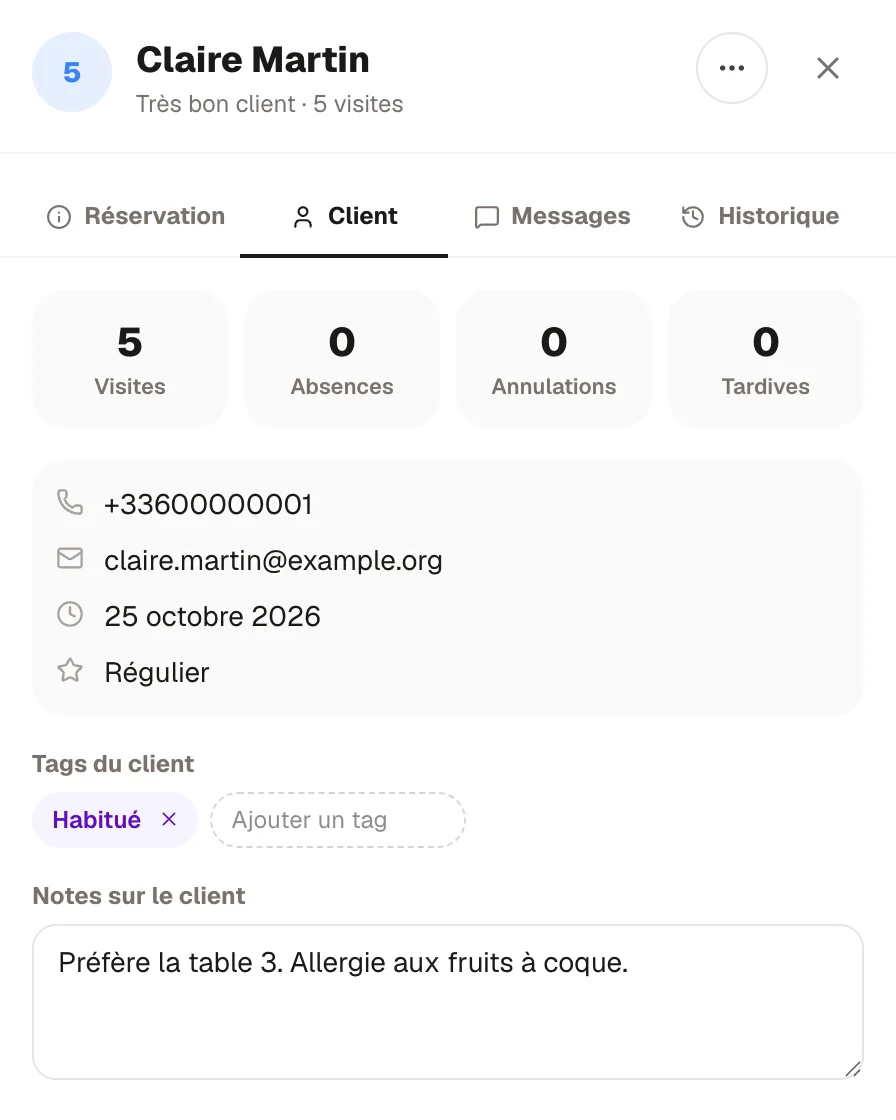

The file sorts the guests who book into segments based on their visits, from loyal guests to those you have lost touch with. You open a segment and the list is there, with the phone number and email on each profile so you can call or write.


You add a tag or a note to the profile whenever you like, a favourite table or an allergy for example. You find them again in the Guest tab of each of their bookings.


In the list of guests who book, one person recorded once with their phone number and once with their email can end up with two profiles. RestoAll spots the likely duplicates and you merge them into one, which takes over the bookings, the tags and the notes.


The list of guests who book can be exported as CSV whenever you like, in full, from the Guests page. The file opens in a spreadsheet with each guest’s contact details, visits, tags and notes. The list of loyalty members has its own export.


Sample restaurant, fictional data.


01 / 03
You recognise your regulars
Every visit, every no-show and every cancellation is recorded on the profile. When a guest books again, you see how many times they have come and what you had noted about them.

02 / 03
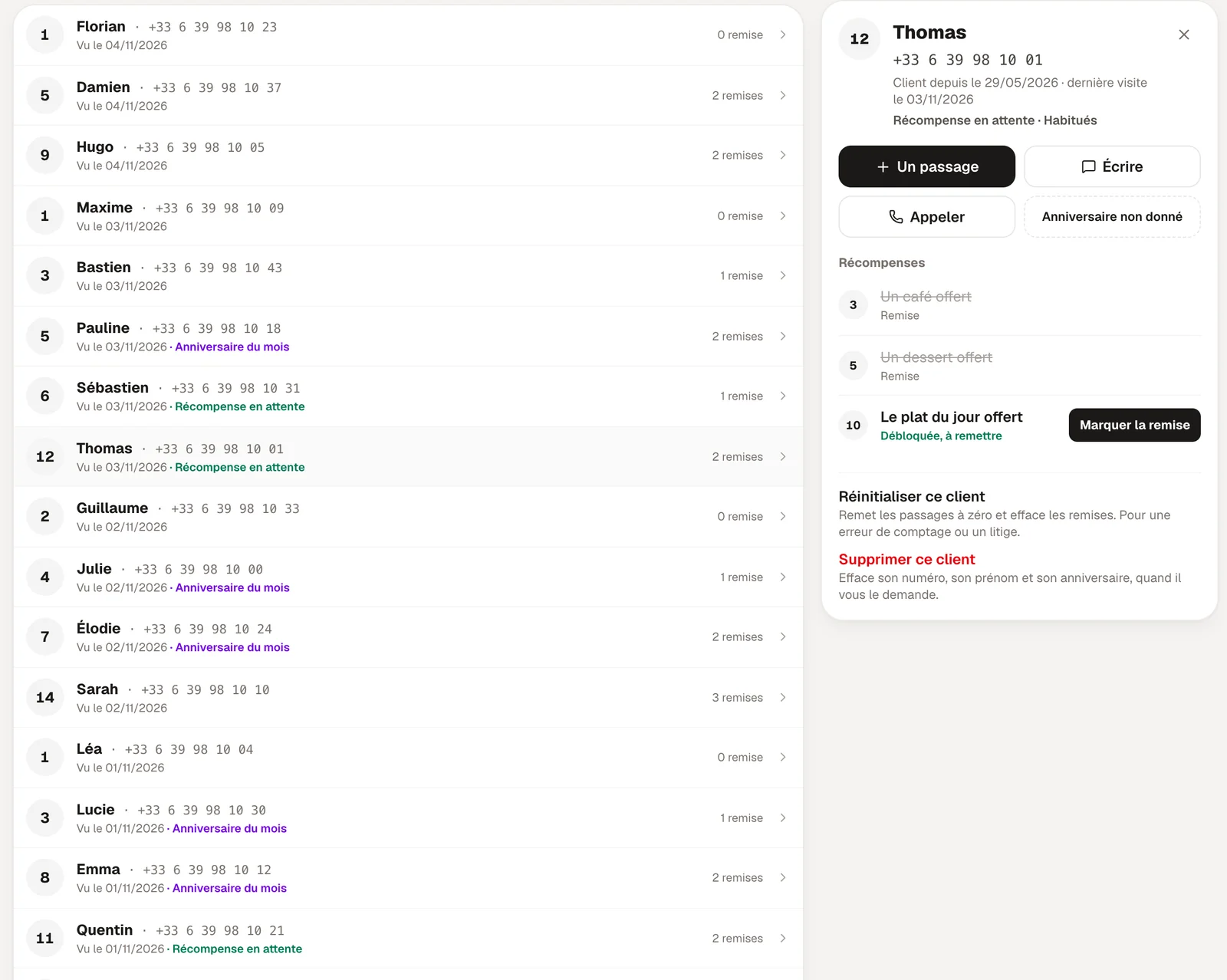
Visits and rewards, guest by guest
With the loyalty programme, each guest who joins has a profile in a separate list, with their visits, the rewards already given and their birthday if they gave it. From there you add a visit by hand, you write to them or call them, and you see the reward waiting for them.

03 / 03
Your guests stay yours
Phone numbers can only be read from your account. RestoAll does not sell them on and does not approach your guests. If a loyalty member asks to be deleted, you do it from their loyalty profile, and their number, first name and birthday are removed.
Included from Essential
The list of guests who book is part of the Essential plan at €49.99 a month. The list of loyalty members comes with the loyalty programme, in Complete at €99.99. There is no commitment, and everything is open during the thirty-day trial.
Essential
Your digital photo menu, accessible by QR code.
€49.99
per month, no commitment
Guest file included
- Unlimited dishes and photos
- AI photos (background removed, styled)
- Multilingual menu (5 languages)
- Thirty QR codes, made and shipped
- Statistics: peak hours, most viewed dishes
- Guest reviews: Google and private feedback
- Stock management and food cost
- Online table booking, no commission
Complete
Essential, plus everything that brings guests back and sells straight from the table.
€99.99
per month, no commitment
Guest file included
- Everything in Essential, table booking included
- Loyalty programme
- Table ordering and payment
- Takeaway ordering
- POS connection (HubRise)
- 0% commission on your sales
How does the guest file work?
- 01
A booking creates the profile
As soon as a guest books with an email or a phone number, their profile exists. Joining the loyalty programme, with a phone number, creates another one, in a separate list.
- 02
Every visit adds to it
A visit, a no-show or a cancellation is recorded on the booking profile without you touching it, and each visit counted goes on the loyalty profile. You add a tag or a note whenever you like.
- 03
You know who comes back
The guests who book are sorted into segments, from your loyal guests to those you need to win back. You open a segment to see who is in it.



Your file starts with the next booking
Common questions.
Where do the profiles come from?
What is in a profile?
Can I export my file?
What about data protection rules?
How much does it cost?
The other RestoAll solutions
Everything lives in the same app and the same dashboard: one menu, one QR code, one subscription.









Your guests book, their profile stays up to date.
- Free trial
- 30 days, no credit card
- Then
- from €49.99 a month, no commitment
- QR kit
- Thirty QR codes, shipped to you