Loyalty,
with no card to stamp.
A visit is counted when a guest scans their table or pays with Plate. You choose the rewards.
Complete plan
No card to stamp.
No app to download.
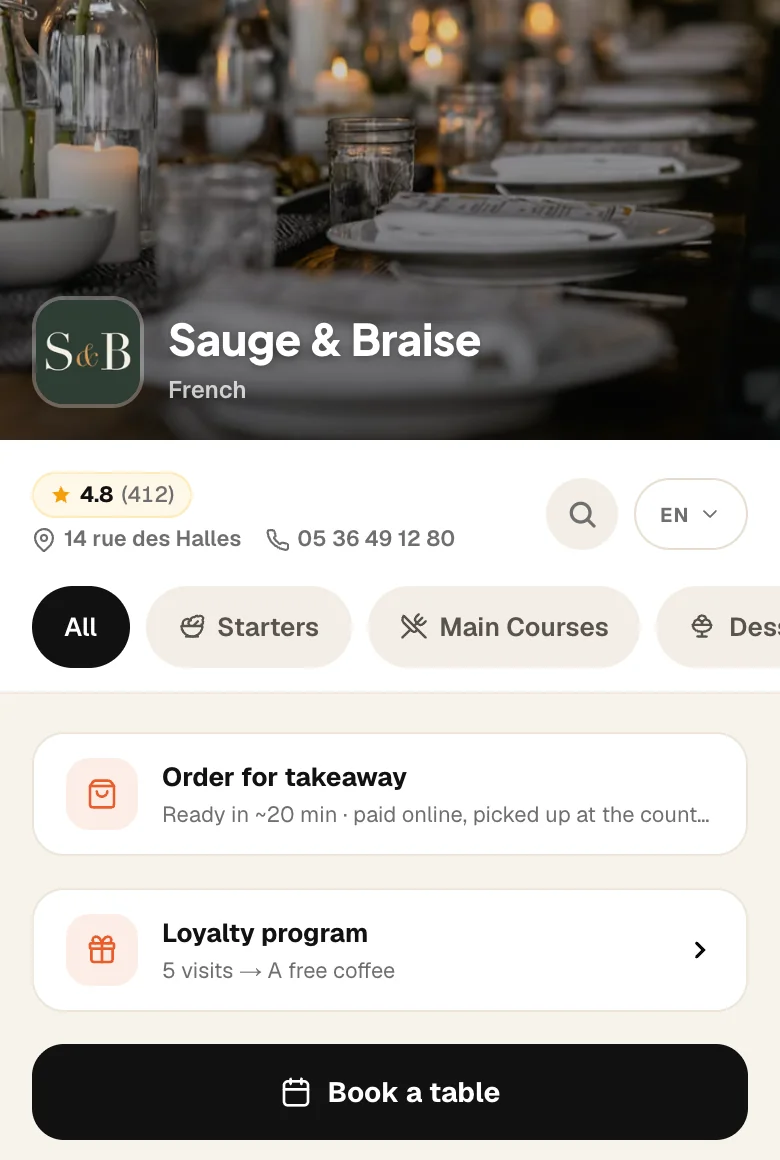
One line on your menu.
“Loyalty programme · 5 visits → a free coffee”. The guest taps, gives their number, done.
9:41

Your guests, in the app.
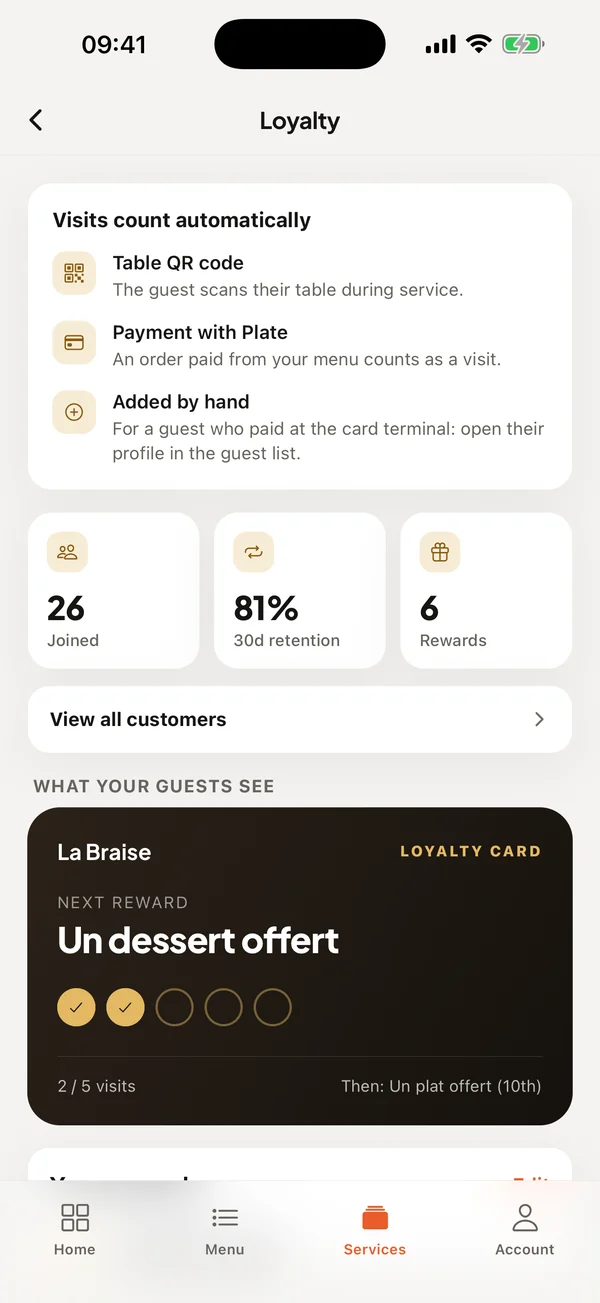
How many joined, how many come back, who has not returned. And the loyalty card as your guest sees it.
How it works
- 1
You choose your rewards
For example a coffee on the 3rd visit, a dessert on the 5th. Start from a template or from scratch.
- 2
The guest gives their number
Once, from your menu. No app, no account, no password.
- 3
Visits count themselves
On each visit their loyalty card updates. When a reward is reached, it shows on their phone.
In detail
- Nothing to do at the counter
- The visit is counted by the table scan or by the payment. Your team enters nothing.
- Your rewards
- You set what you offer and after how many visits. Change them whenever you like.
- Your guest list
- Their visits, their last one, and those who have not been back for a while. Exportable.
- Birthdays
- Guests can give the day and month of their birthday. On that day, the reward you chose is shown.
- A visit added by hand
- A guest paid at the terminal? Add their visit from their record.
- No cheating
- A visit only counts from the QR code of one of your tables, during service, and once every twelve hours.
Included in Complete, €99.99 per month.
30-day trial with everything unlocked. No credit card, no commitment.
Frequently asked questions
Do guests need to install an app?
No. Everything happens in the browser, from your menu. They give their phone number once.
Can I change my rewards?
Yes, at any time. Rewards already earned are kept.
What do you do with phone numbers?
They are used to count visits, nothing else. Only you see them, and you can delete a guest when they ask.
Do I need table ordering to use loyalty?
No. Both are in the Complete plan, but loyalty works on its own, with the table scan.